How to choose a baby monitor: what actually matters at 3 a.m.
This post contains affiliate links. If you buy through them, we may earn a small commission at no extra cost to you.Learn more.
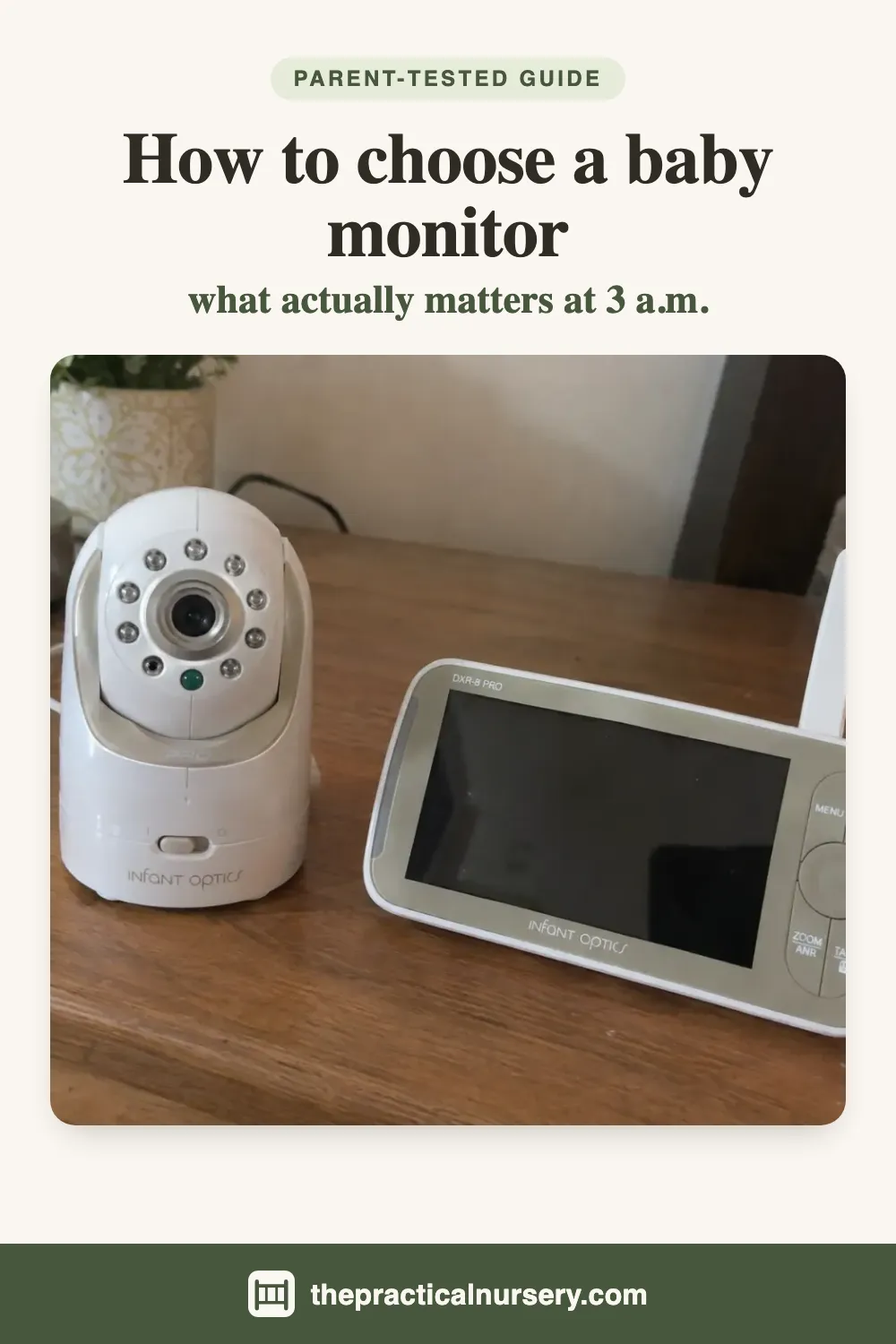
The short version, if you don’t read another word: to choose a baby monitor you will still like in a year, settle the WiFi question first, then buy for screen size, sound and battery life, in that order, and treat resolution as the least important number on the box. We own six video monitors, from a 2.4 inch budget unit up to the Infant Optics DXR-8 PRO we rate highest, and most of what follows is something one of them taught us after we had already paid for it.
This page is about features, not brands. If you want the ranking instead, the four main monitors in our house are compared in our best baby monitor roundup, and the cheap ones have their own page in best baby monitor under $100.
One note on scope. We review monitors as gear. A baby monitor is a convenience device and not a safety device, and none of ours is a medical product. Anything to do with safe sleep belongs with the AAP and the CPSC, and with the manual in the box, rather than with a blog, this one included.
Start with the WiFi question
Every monitor on the shelf falls on one side of a line, and picking a side cuts the choice in half before you look at a single spec.
A non-WiFi monitor pairs its camera straight to its own handheld screen over a private radio link, usually listed as 2.4 GHz FHSS. You plug both halves in and they find each other. There is no app, no account and no camera sitting on your home network. Four of our six work this way: the Infant Optics, the HelloBaby, the Jeeber and the VTimes.
A WiFi monitor joins your network and lets you watch from a phone, from anywhere. That earns its keep if a grandparent babysits while you are out, or if one of you travels for work and wants to see bedtime. The price is an account, an app, a password to manage and a device on your router that needs updates. Our VAVA is a WiFi monitor.
Then there are monitors that do both. Our VTech has WiFi and its own direct link between the cameras and the handset, so it works as a plain monitor whether or not you connect it. We never have.
The question to ask yourself is simple: will anybody need to see the nursery from outside the house? If the answer is no, a non-WiFi monitor is the easier thing to live with, and we rank the ones we own in the best non-WiFi baby monitors. If the answer is yes, buy the WiFi model and set it up properly. Our page on whether baby monitors can be hacked covers what properly means, and WiFi vs non-WiFi baby monitor sets out what each side costs you.
Screen size matters more than resolution
Think about how you will actually look at this thing. It sits on a nightstand or the arm of a sofa, you are four feet away, the room is dark, you are half asleep, and you look for about two seconds. For that job a big screen does more than a sharp one.
Our own monitors make the point better than any argument. The HelloBaby has the lowest resolution we own at 480p and the largest screen at 6 inches, and it is the easiest to read from bed. The VTech has the sharpest picture at 1080p on a 5.5 inch screen, and from across the room it tells you less. The VTimes, at 2.4 inches, confirms that a baby is asleep and very little else.
Our working rule is 5 inches or more if the budget allows it. Below that you are buying a status light with a picture attached. That can be enough, and on price the VTimes still makes sense. Just know what you are giving up.
Resolution does matter in one situation, which is zoom. If you plan to zoom in to check whether an eye is open or a hand is caught somewhere, extra pixels hold up better. That is something you do occasionally. The glance across the room is something you do forty times a night.
Sound does most of the work
For most of a night nobody is looking at the monitor at all. The speaker is what wakes you, which makes it the part you rely on most and the part listings say least about.
Three things to look for. First, volume. It should go loud enough to wake you without sitting at the maximum, because a monitor you have to strain to hear is one you stop trusting, and then you get up to check anyway. Second, how it handles background noise. If you run a fan, an air purifier or air conditioning in the nursery, a cheap monitor will hiss that back at you all night and you will turn it down. Our Infant Optics has noise reduction that filters that steady sound out so the baby comes through and the fan does not. It is a feature we did not know to look for and now would not buy without.
Third, a way to see sound. Our HelloBaby has a light bar on the handset that climbs from green to red as the room gets louder, so you can tell someone is crying with the volume off. Several units, including the Jeeber and the VTimes, have a mode that keeps the screen dark until the camera hears something, which saves battery and keeps a glowing screen out of your face.
Two-way audio is on nearly every box. It varies more than you would expect. On the Infant Optics, talking back into the room comes through as a voice. On cheaper units it can come through as a crackle that does more to wake a baby than settle one.
Battery: check the hours, then think in years
Battery capacity in milliamp hours tells you very little. Battery life in hours tells you how you will use the monitor.
Here is how much it varies across one house. The VAVA is rated at about 5 hours. The VTech carries a 5000 mAh cell and behaves the same way, as an evening device that sits on its charger overnight. The VTimes gives us about 7 to 8 hours. The Jeeber is rated at 8 to 16 hours. The HelloBaby has a 4000 mAh cell with an eco mode, and in our house it gets charged like any other handset.
None of those is wrong. A 5 hour handset is fine if it lives on the nightstand plugged in. It is a poor choice if you want to carry it to the kitchen, the garden and the home office through the day. Decide where the handset will spend its time, then buy the battery that suits that. Our guide to baby monitor battery life puts all six side by side.
Then ask the question nobody prints on the box: what happens when the battery wears out? On most monitors the cell is sealed in, so a battery that no longer holds a charge means a new monitor. The Infant Optics takes a battery you can replace yourself. Ours still runs as long as it did new after two years of daily use, and when that changes we will be buying a battery instead of a monitor. It is a big part of why that one tops our Infant Optics baby monitor review.
One camera, two cameras, or one that moves
If you have one baby in one room, one camera is all you need. Things get more interesting when two children share a room, or a second baby is on the way.
There are two ways to cover a shared room. One camera that pans from the handset lets you swing between cots, which our VAVA’s cameras can do from a button. Two cameras on a split screen put a camera over each cot and both pictures on the handset at once, which is what the HelloBaby and the VAVA both ship ready to do.
We prefer two cameras, and we learned that the hard way. After our second baby we tried covering both cots with the single-camera VTech, which has a good wide view and a 5.5 inch screen. Pulled back far enough to frame both cots, neither child was more than a shape, so we ended up running a second monitor next to it. With a camera each, you see at a glance which one is awake, and that is what our two-camera VAVA does.
One limit to know before you buy split screen: on the HelloBaby you see two cameras but hear only one. You pick which camera you are listening to and switch by hand. In a shared room that matters less, since both cameras are picking up the same space. Across two bedrooms it would matter a lot.
Also check how many cameras the handset will take. The Jeeber ships with one camera and supports up to four on one screen, so a second child later means buying a camera, not a whole monitor.
Zoom: optical or digital
Almost every monitor lists zoom. Almost all of them mean digital zoom, which crops the picture and enlarges what is left, so you get a bigger, softer image. Our Jeeber lists 3x and the VTimes 2x, and both are digital.
Optical zoom uses glass and keeps the detail. Of the monitors we own, only the Infant Optics has it, through a zoom lens that comes in the box and swaps onto the camera in seconds.
For most families, pan and tilt from the handset matters more than zoom of either kind. Being able to follow a baby who has wriggled to the far corner, without walking in, is the feature we use most on the VAVA. Our VAVA baby monitor review goes into it.
Night vision
Every video monitor has infrared night vision, and it switches on automatically as the room gets dark. The difference between a good one and a poor one is whether the night picture is clean or a grey smear, and you cannot judge that in a shop under bright lights.
What helps: reviews with real night photos, and a retailer with a reasonable return window so you can try it in your own nursery for a few nights. Look out for no-glow infrared too, which means no red dots shining in the room. The Jeeber is sold that way. And give the camera a fair chance before you judge it, because where it is placed changes the night picture a lot. We cover that in where to put a baby monitor camera.
Extras: which ones earn their place
Most monitors come with a list of extras. Some are worth having.
A room temperature readout is one of them. Our VAVA shows it on screen, and so does the Jeeber. It turns a guess about whether the nursery is warm into an actual number. What that number should be is a question for your pediatrician, not a gear blog.
Lullabies and soothing sounds played through the camera are the extra we would put least weight on. On our VTech the sound comes back through the handset so loudly that it drowns out the baby you are trying to listen to, which defeats the point.
Apps, cloud recording and smart alerts only exist on WiFi monitors, and they bring the security work that comes with being on the internet. If you want them, choose them on purpose rather than accepting them as a side effect.
Listing claims to read with care
Baby monitor listings are generous with numbers, and a few deserve suspicion.
Range is the big one. The Jeeber is listed at 300 metres and the HelloBaby at 1,000 feet. Those figures assume open air with nothing in the way. Indoors, walls and floors eat into them. Ours cover an ordinary house well enough, and there are still a couple of dead spots in the corner furthest from the nursery.
Weather ratings and outdoor claims on nursery cameras are often copied fields. The HelloBaby carries an IP65 rating, and the Jeeber listing marks it for indoor and outdoor use while also saying it is not water resistant. A nursery camera lives indoors.
Viewing angles are sometimes given without saying whether they describe the screen or the camera lens. And now and then a listing contradicts itself: the VTimes lists its alerts as motion only while describing a mode that wakes the screen on sound.
A checklist to take shopping
| Check | What to look for | Why it matters |
|---|---|---|
| WiFi | No WiFi, WiFi, or both | Decides remote viewing, privacy and setup work |
| Screen size | 5 inches or more | Readable from your bed at a glance |
| Sound | Loud without maxing out, handles fan noise | The speaker is what wakes you |
| Battery | Hours, not mAh, and whether it is replaceable | Where the handset lives, and how long the monitor lasts |
| Cameras | One per cot, or room to add more later | Shared rooms and second babies |
| Movement | Pan and tilt from the handset | Follow the baby without opening the door |
| Zoom | Optical beats digital | Digital crops; optical keeps detail |
| Night picture | Real night photos, a return window | You cannot judge it in a shop |
| Resolution | Anything from 480p up is readable | The least useful number on the box |
Which of our monitors suits which buyer
Each of the monitors we own suits a different buyer.
For a monitor that lasts years, the Infant Optics DXR-8 PRO is our only 5 out of 5. No WiFi, swappable lenses, noise reduction and a replaceable battery.
For two cameras in the box and a temperature readout, the VAVA is our runner-up. Its weak point is a 5 hour battery. The two go head to head in VAVA vs Infant Optics.
For the sharpest picture and a big screen on a budget, with WiFi as an option rather than a requirement, the VTech suits one baby, and we put it against our top pick in VTech vs Infant Optics.
For no WiFi and two cameras in the box on a budget, the HelloBaby HB6560 is the simple pick, though its night vision is the weakest of ours.
For a sharp picture on a budget, the Jeeber VB619 tops our best baby monitor under $100 list, and the VTimes VT31 is there for when price is the whole decision.
The bottom line
Choosing a baby monitor gets easier once you stop reading the box from the top. Decide whether it belongs on your WiFi. Buy the biggest screen you can, sound you can trust and a battery that suits where the handset will live. Match the cameras to your rooms. Then let resolution, range figures and the extras list break a tie, if they get a say at all.
If you are not sure you need one in the first place, we wrote do you need a baby monitor for that. If you are torn between sound only and a camera, see audio vs video baby monitor. Once one arrives, how to use a baby monitor covers the first hour of setup.
Frequently asked questions
What should you look for when choosing a baby monitor?
Decide first whether it should be on your WiFi at all, because that splits the shelf in two. After that, in the order it matters at night: a screen big enough to read from your bed, sound loud and clean enough to wake you, a battery that suits where the handset will live, and the right number of cameras for your rooms. Resolution comes last. It is the biggest number on most boxes and the one that changes your nights the least.
Is a higher resolution baby monitor better?
Not by much, for the way a monitor is actually used. You glance at it from a few feet away in a dark room for a couple of seconds. Our HelloBaby is only 480p, but it has a 6 inch screen and it is the easiest of our monitors to read from a bed. Our 1080p VTech is sharper on a 5.5 inch screen and still loses that comparison. Resolution helps when you zoom in to study something, which you do now and then rather than every night.
Should you get a WiFi or a non-WiFi baby monitor?
Get WiFi if someone needs to watch from outside the house, such as a grandparent babysitting or a parent who travels. Otherwise a non-WiFi monitor is simpler: the camera pairs straight to its own handset over a private radio link, with no app, no account and nothing on your network. Some monitors do both. Our VTech has WiFi and its own direct link, and we have never connected it to the internet.
What screen size should a baby monitor have?
Five inches or more is where a screen becomes comfortable to read across a dark room. Our monitors run from 2.4 inches on the budget VTimes to 6 inches on the HelloBaby. The 2.4 inch screen shows you whether the baby is asleep and not much else, while the 5 and 6 inch screens let you see what they are doing without picking the handset up.
How many cameras does a baby monitor need?
One per cot is the setup we prefer when children share a room, because a single camera pulled back far enough to frame two cots turns both children into shapes at night. If you would rather buy one camera, get one that pans from the handset so you can swing between cots. If a second baby is likely, check whether the monitor takes extra cameras later. Our Jeeber takes up to four on one screen.